
The iMPlayer IPTV Experience Your TV Deserves
Stop wrestling with clunky playlist loaders. iMPlayer IPTV turns your Android TV, Firestick, or mobile into a premium cable-like experience — live channels, full EPG, VOD, recording, and cloud sync across every screen you own.
Built for People Who Actually Watch TV
Most IPTV players feel like spreadsheet software with a video feed. iMPlayer IPTV was built around real habits: channel surfing, catch-up, binge-watching, and recording the game while you're out.
Cloud Management Dashboard
Manage playlists, hide channels, create groups, and sync settings across all your devices from one online dashboard. No more re-configuring every Firestick manually. See all features →
Full EPG & Timeshift
Browse complete program guides that load fast. Missed the start? Timeshift and catch-up support let you rewind live TV when your playlist provider allows it. Explore EPG →
Record, Download & MultiView
Record live shows directly or download VOD for offline viewing. MultiView splits your screen up to 4 ways so you never miss multiple games or news channels at once. Get Premium APK →
Fully Customizable Interface
Pin your favorite groups, sort channels alphabetically or by provider, edit names, and apply custom EPG links. The UI bends to your workflow, not the other way around.
Cross-Device Sync
Start watching on your Android phone, finish on your TV. iMPlayer IPTV keeps your playlists, favorites, and settings in sync across Android TV, Firestick, mobile, and Apple TV.
Trakt Integration
Sync your watch history and favorites with Trakt so you never lose track of where you left off. Perfect for serial binge-watchers who jump between devices.
From Download to First Channel in Under 5 Minutes
No technical degree required. iMPlayer IPTV is designed so anyone can get streaming fast — whether you're on a Firestick, Android TV box, or mobile phone.
Download the App
Grab iMPlayer from Google Play, the App Store, or sideload the official APK on Android TV and Firestick. Downloader code: 82375.
Add Your Playlist
Import your M3U playlist or Xtream Codes login. iMPlayer IPTV is a player only — you bring your own legal subscription from any provider you trust.
Sync to Cloud
Log into your iMPlayer account and push your setup to the cloud dashboard. Every device you own pulls the same config automatically.
Start Streaming
Browse live TV, VOD, and EPG with a polished interface that feels like a real cable box. Record, download, or enable MultiView whenever you want.
Choose Your iMPlayer IPTV Plan
Flexible pricing for every viewer. From casual streaming to full-home setups, find the iMPlayer IPTV subscription that fits your needs in 2026.
- Live TV Streaming
- VOD Support
- Basic EPG
- 1 Device
- Cloud Management
- Recording
- MultiView
- Live TV Streaming
- VOD & Catch-Up
- Full EPG Guide
- 2 Devices
- Cloud Management
- Recording
- MultiView
- Live TV Streaming
- VOD, Catch-Up & Downloads
- Full EPG + Timeshift
- 3 Devices
- Cloud Management
- Recording Support
- MultiView
- Live TV Streaming
- VOD, Catch-Up & Downloads
- Full EPG + Timeshift
- 5 Devices
- Cloud Management
- Recording Support
- MultiView (4 Screens)
Need more devices? Add extra slots for $7 each — no account limits. View full details →
Why iMPlayer IPTV Beats Basic IPTV Players
Most free IPTV apps load your playlist and call it a day. Here's what sets iMPlayer IPTV apart in 2026.
| Feature | iMPlayer | Basic Players | TiviMate |
|---|---|---|---|
| Cloud Management | |||
| Cross-Device Sync | |||
| MultiView (4 Screens) | |||
| Recording & Downloads | Premium Only | ||
| Trakt Integration | |||
| Custom EPG Links | |||
| Remote Web Dashboard |
What Streamers Say About iMPlayer IPTV
Don't take our word for it. Here's what actual users say after switching from basic players and clunky apps.
"Switched from TiviMate six months ago and never looked back. The cloud dashboard alone saved me hours of re-configuring Firesticks for my parents. iMPlayer just feels smoother."
"The MultiView feature is a game-changer on Sundays. I can watch four football games at once without lag. Setup took maybe four minutes total. Worth every penny of the Premium plan."
"I was skeptical about paying for a player, but the recording and catch-up features work flawlessly. EPG loads faster than any other app I've tried. Customer support actually replies too."
What Is iMPlayer IPTV in 2026?
iMPlayer IPTV is an advanced IPTV player — not a content provider. Here's what that means and why it matters.
A Player, Not a Provider
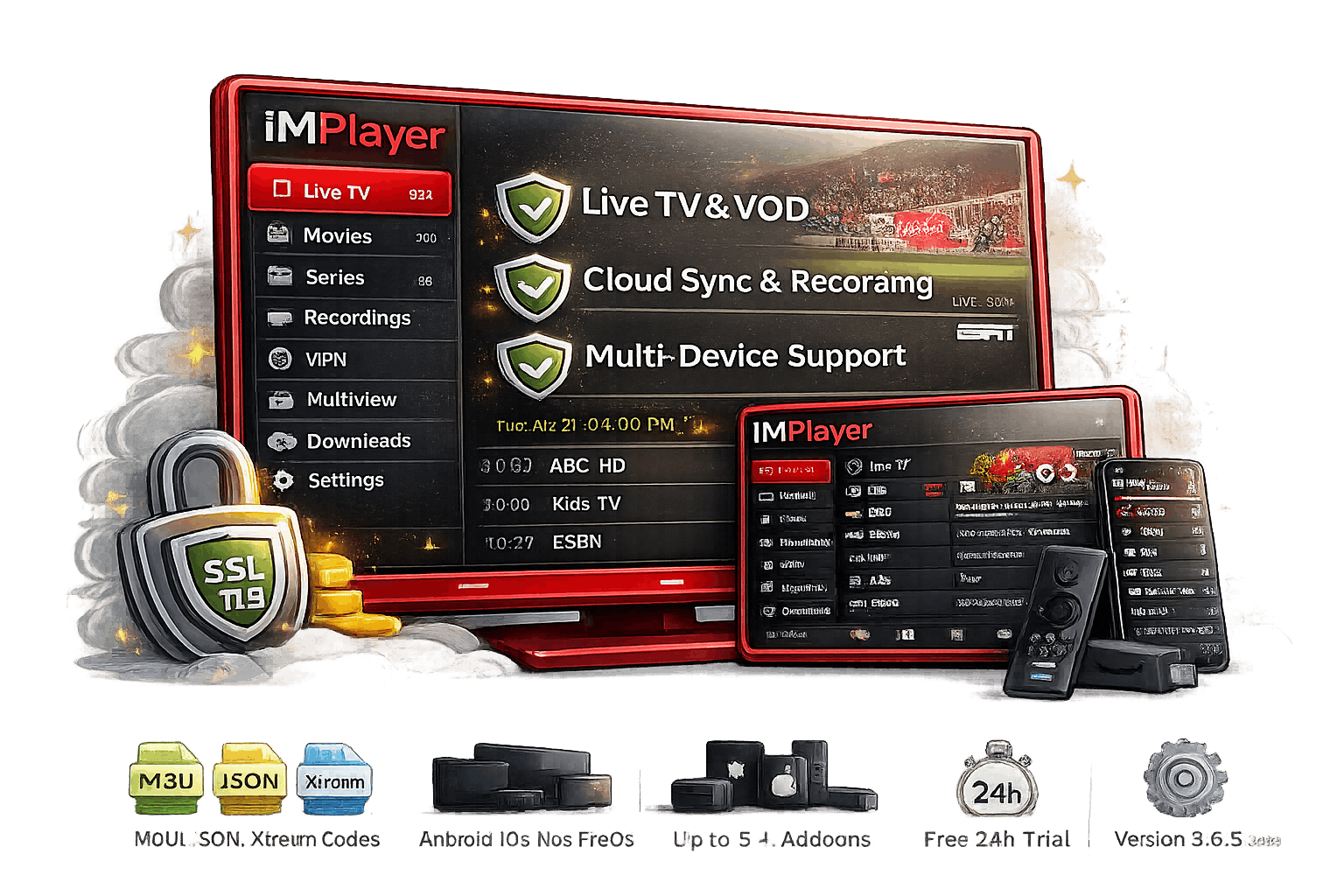
iMPlayer IPTV does not sell channels, movies, or playlists. It is a powerful media player designed for M3U files and supported streaming formats. You bring your own legal IPTV subscription, and iMPlayer makes it look and feel like a premium cable experience.
That distinction matters. Because iMPlayer doesn't host content, it focuses entirely on playback quality, interface design, and features that matter: full EPG browsing, catch-up TV, VOD support, local timeshift, recording, downloads, and MultiView.
Available on Android TV, Firestick, mobile, and Apple TV. The app supports M3U playlists and Xtream Codes, which covers virtually every major IPTV provider format on the market today.
Key Specs at a Glance
Frequently Asked Questions
Everything you need to know before starting your iMPlayer IPTV journey in 2026.
iMPlayer IPTV is an advanced IPTV player app compatible with M3U playlists and Xtream Codes. It does not provide content — you add your own legal playlist. Once loaded, you get live TV, VOD, full EPG, recording, catch-up, and MultiView on Android TV, Firestick, mobile, and Apple TV. Learn more →
No. iMPlayer is strictly a media player. It does not provide, host, or sell any TV channels, movies, or playlists. You must have your own legal IPTV subscription or M3U playlist from a third-party provider. iMPlayer has zero affiliation with any content provider.
Use the Downloader app and enter code 82375, or sideload the official APK directly. For step-by-step instructions with screenshots, visit our 2026 setup guide. Google Play and App Store downloads are also available for supported devices.
Both are top-tier IPTV players, but iMPlayer leads in cloud management and cross-device sync. Its web dashboard lets you manage playlists remotely, while TiviMate requires on-device configuration. iMPlayer also offers smoother MultiView and built-in Trakt integration. See user comparisons →
Yes. Every new account gets a 24-hour free trial after registration. No credit card required. If you want extended access without commitment, check out our free iMPlayer options and limited-feature tier.
Absolutely. We offer a 30-day money-back guarantee on all subscription plans. If iMPlayer doesn't meet your expectations, contact support within 30 days for a full refund. Read the full terms on our refund policy page.
The Premium APK is the sideload version for Android TV and Firestick devices without Google Play access. It includes all the same features as the Play Store build. The APK is updated regularly and can be installed via Downloader or file manager.
Reach our team 24/7 through the contact page, email, or official Telegram channel. We typically respond within a few hours. For common issues, the FAQ page covers most setup and troubleshooting questions.
Ready to Upgrade Your iMPlayer IPTV Experience?
Join 50,000+ streamers who ditched clunky playlist loaders for iMPlayer's polished, feature-rich interface. Start your free 24-hour trial today — no credit card needed.
Privacy Policy · Refund Policy · No content provided — player only