IMPlayer Premium APK — Unlock the Full Experience
Get the official IMPlayer Premium APK for Android TV and Firestick. Enjoy cloud management, recording, MultiView, catch-up TV, and an ad-free experience. Download safely from official sources and transform your media playback in 2026.
Download Safely
Always download IMPlayer Premium APK from official sources. Avoid unofficial "mod APK" sites that may contain malware or stolen content. The official downloader code is 82375.
Table of Contents — IMPlayer Premium APK
What is IMPlayer Premium APK?
IMPlayer Premium APK is the unlocked version of the popular IMPlayer media player app for Android TV and Firestick devices. While the free version offers basic playback, the premium APK unlocks the full suite of advanced features designed for serious cord-cutters and media enthusiasts.
Unlike basic IPTV players, IMPlayer Premium delivers a cable-like experience with cloud management, device synchronization, recording capabilities, and MultiView support. It is specifically optimized for Android TV devices, Android TV boxes, and Amazon Fire TV products.
IMPlayer is strictly a media player — it does not provide any content, channels, or IPTV subscriptions. You must supply your own legal M3U playlists or Xtream Codes from a legitimate provider. The premium APK simply enhances how you play and manage that content.
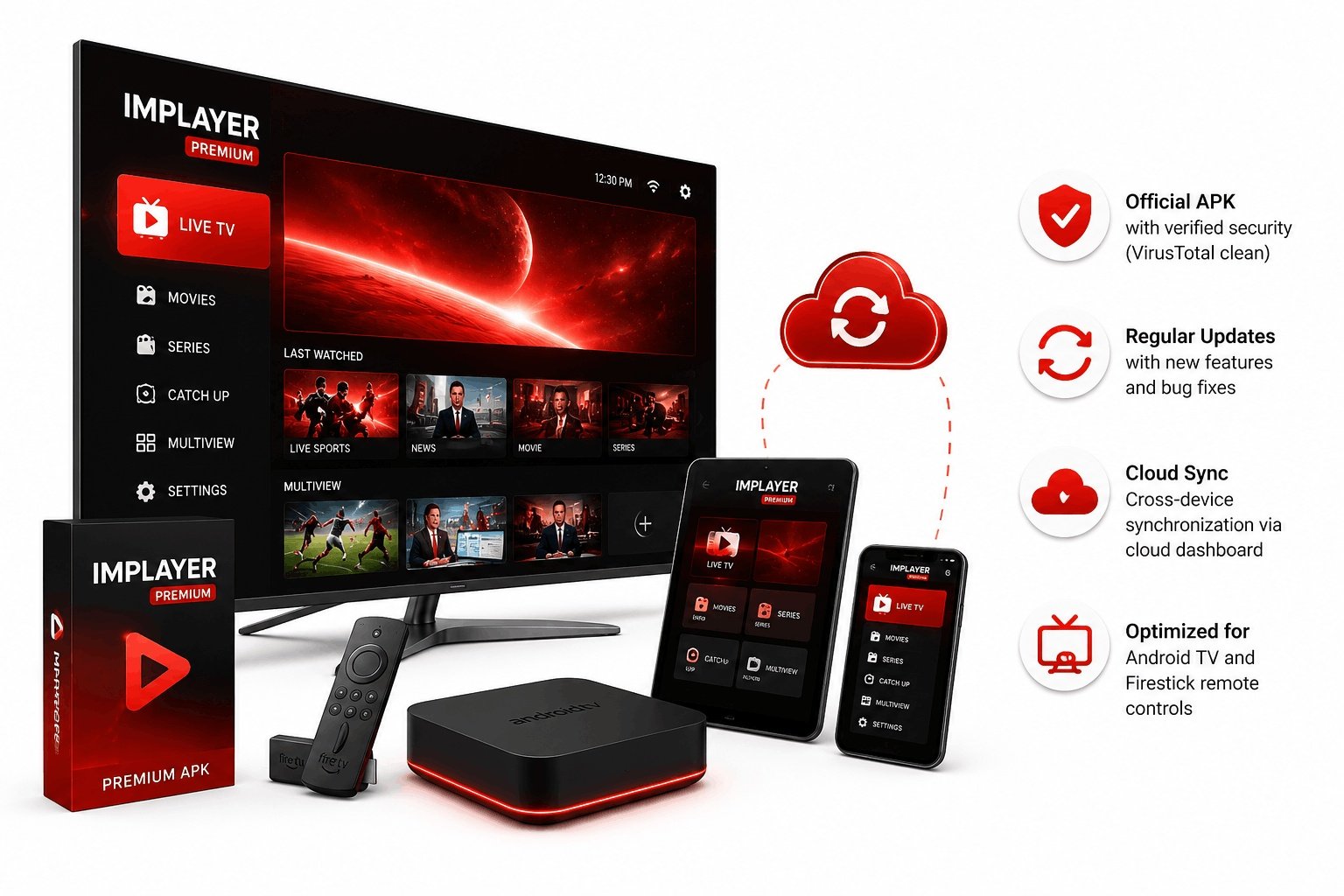
- Official APK with verified security (VirusTotal clean)
- Regular updates with new features and bug fixes
- Cross-device synchronization via cloud dashboard
- Optimized for Android TV and Firestick remote controls
What Does IMPlayer Premium APK Include?
The premium version unlocks over 15 advanced features that transform your media playback experience. Here is the complete list.
Cloud Management
Manage your playlists, settings, and devices remotely through the IMPlayer web dashboard. Add playlists, hide content, and organize your setup from any browser.
Device Synchronization
Sync your playlists, favorites, and settings across all your devices automatically. Start watching on your phone and continue on your TV seamlessly.
Catch-Up TV
Never miss a show with catch-up support. Watch previously aired content from supported playlists for up to 7 days after the original broadcast.
Local Timeshift
Pause, rewind, and fast-forward live TV with local timeshift support. Works with both ExoPlayer and VLC player engines for maximum compatibility.
Recording Support
Record live TV to internal or external storage. Schedule recordings in advance and manage all your recordings through the built-in Recording Manager.
Downloads Support
Download VOD content and movies for offline viewing. Perfect for watching on the go or when your internet connection is unstable.
MultiView (4 Screens)
Watch up to 4 channels simultaneously on one screen. Ideal for sports days when you want to follow multiple games at once.
Trakt Integration
Sync your viewing history and watchlist with Trakt.tv. Keep track of what you have watched across all your media apps in one place.
Advanced Settings
Fully customize the interface with 6 theme options, adjust buffer sizes, change player engines (ExoPlayer/VLC/MX), and fine-tune every aspect of playback.
Reminders Support
Set reminders for upcoming shows and events. Get notified before your favorite programs start so you never miss them.
Full EPG Support
Browse complete program guide data with real-time updates. View current and upcoming shows with detailed information and poster art.
Ad-Free Experience
Enjoy completely ad-free playback. No interruptions, no banners, no pop-ups — just pure, uninterrupted viewing.
How to Download IMPlayer Premium APK Safely
Get the official APK from trusted sources only. Here are all the legitimate ways to download IMPlayer Premium.
Firestick & Android TV Downloader Code
Enter this code in the Downloader app to get the latest official IMPlayer APK directly:
Method 1: Google Play Store (Recommended)
The safest way to get IMPlayer Premium APK is through the official Google Play Store.
- Open Google Play Store on your Android TV or Android device
- Search for "IMPlayer" or "iMPlayer Media Player"
- Select the app from HzApps (official developer)
- Click Install to download the free version
- Launch the app and upgrade to premium from within
Method 2: Official Website Direct Download
Download the APK directly from the official IMPlayer website.
- Visit implayer.tv on your device's browser
- Navigate to the Download section
- Select your device type (Android TV / Firestick / Mobile)
- Download the appropriate APK file
- Install and launch the application
Method 3: Uptodown (Trusted Third-Party)
Uptodown is a verified source for IMPlayer APK downloads with version history.
- Visit IMPlayer on Uptodown
- Click Download to get the latest version
- Allow installation from your browser if prompted
- Install the APK and launch IMPlayer
- Access to older versions available if needed
How to Install IMPlayer Premium APK on Firestick
Since IMPlayer is not available in the Amazon App Store, Firestick users need to sideload the APK. Follow these steps for a safe installation.
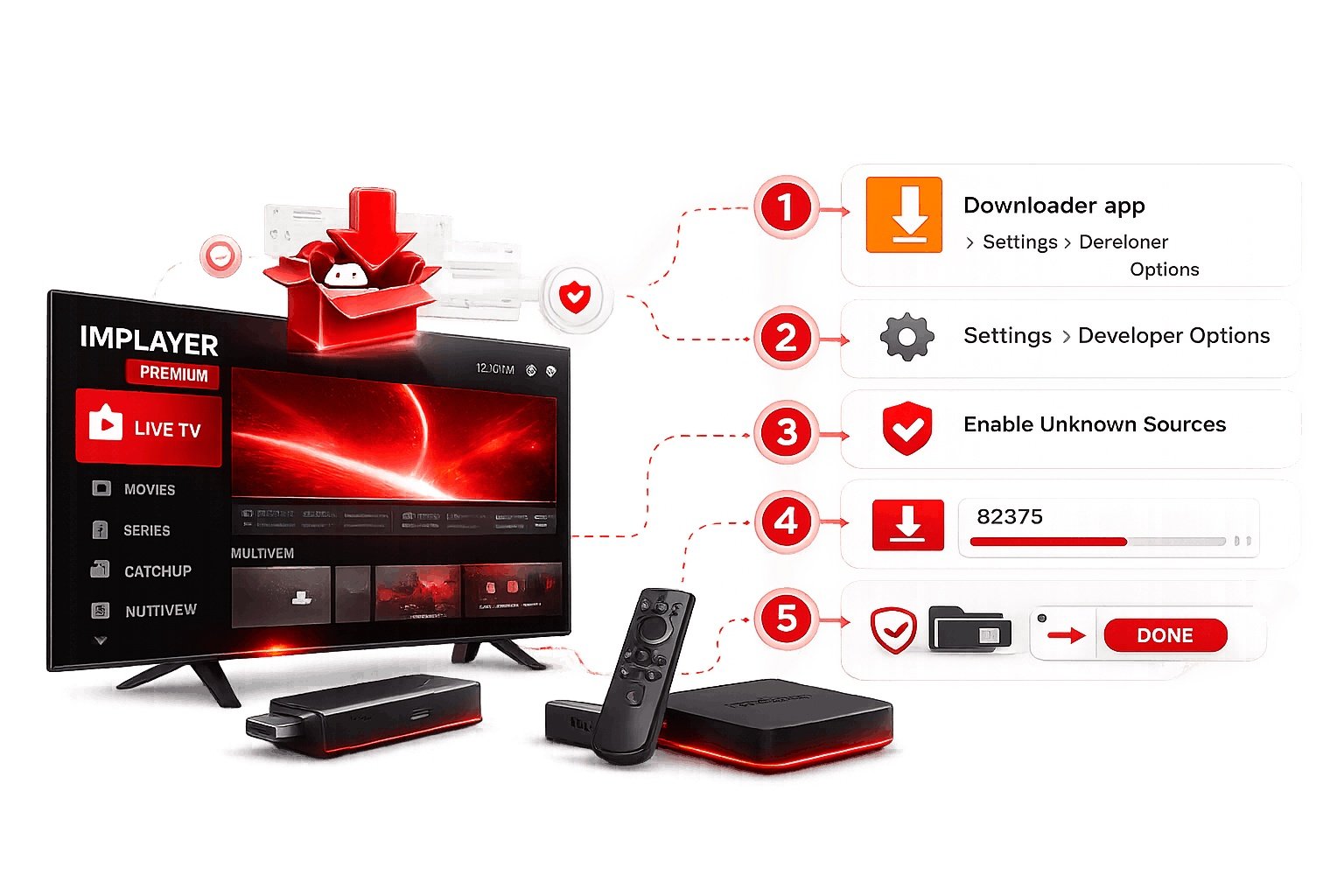
Step-by-Step Firestick Installation:
- Install the Downloader app from the Amazon App Store
- Go to Settings > My Fire TV > Developer Options
- Enable Apps from Unknown Sources
- Open Downloader and enter code:
82375 - Wait for the download to complete
- Click Install when prompted
- Launch IMPlayer and click Allow for permissions
- Click Add Playlist to start setup
Android TV Installation:
- Enable Unknown Sources in Settings > Security
- Use a file manager or USB drive to transfer the APK
- Locate the APK file and click Install
- Launch and configure your playlists
IMPlayer Premium APK Pricing & Plans 2026
Choose the plan that fits your needs. All plans include full premium features and regular updates.
Free Version
- Basic playlist playback
- Standard EPG support
- Single device only
- No cloud sync
- No recording
- Limited customization
Yearly Premium
- All premium features
- Cloud management
- 2-5 devices included
- Recording & downloads
- MultiView support
- Trakt integration
- Ad-free experience
- Regular updates
Lifetime Access
- All premium features forever
- Cloud management
- 2-5 devices included
- Recording & downloads
- MultiView support
- Trakt integration
- Ad-free experience
- All future updates
Extra devices can be added to any premium plan for $7 per device. There is no limit on how many devices you can add.
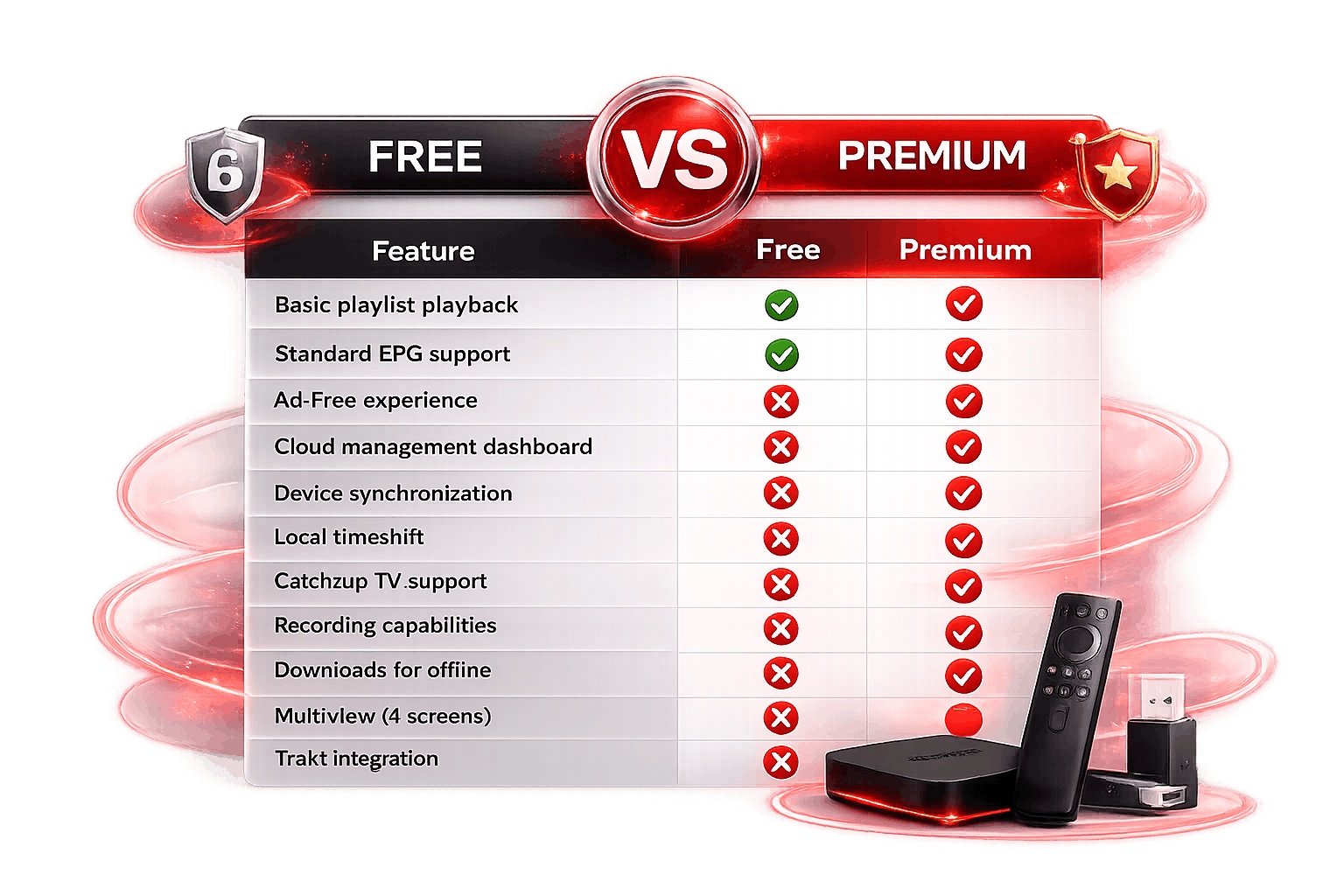
Free vs IMPlayer Premium APK
Not sure if premium is worth it? Here is a detailed comparison of what you get with each version.
| Feature | Free | Premium |
|---|---|---|
| Basic playlist playback | Yes | Yes |
| Standard EPG support | Yes | Yes |
| Ad-free experience | No | Yes |
| Cloud management dashboard | No | Yes |
| Device synchronization | No | Yes |
| Local timeshift | No | Yes |
| Catch-up TV support | No | Yes |
| Recording capabilities | No | Yes |
| Downloads for offline | No | Yes |
| MultiView (4 screens) | No | Yes |
| Trakt integration | No | Yes |
| Advanced settings & themes | No | Yes |
| Reminders support | No | Yes |
| Favorites & groups customization | No | Yes |
The free version is perfect for testing, but the IMPlayer Premium APK truly unlocks the full potential of this powerful media player. With a 24-hour free trial available, there is no risk in trying premium.
Where Can You Use IMPlayer Premium APK?
IMPlayer Premium APK works on a wide range of Android-based devices. Check compatibility below.
Amazon Fire TV
Firestick, Fire TV Stick 4K, Fire TV Cube, Fire TV Edition. Sideload via Downloader code 82375.
Android TV & Google TV
Android TV boxes, Google TV devices, NVIDIA Shield TV, Chromecast with Google TV.
Android Phones & Tablets
Samsung Galaxy, Google Pixel, Xiaomi, OnePlus, and all Android 5.0+ devices.
Smart TVs with Android
Sony Bravia, TCL, Hisense, Philips, and other Android-powered smart TVs.
Note: IMPlayer Premium APK is for Android devices only. For Apple TV, iPhone, and iPad, download from the Apple App Store.
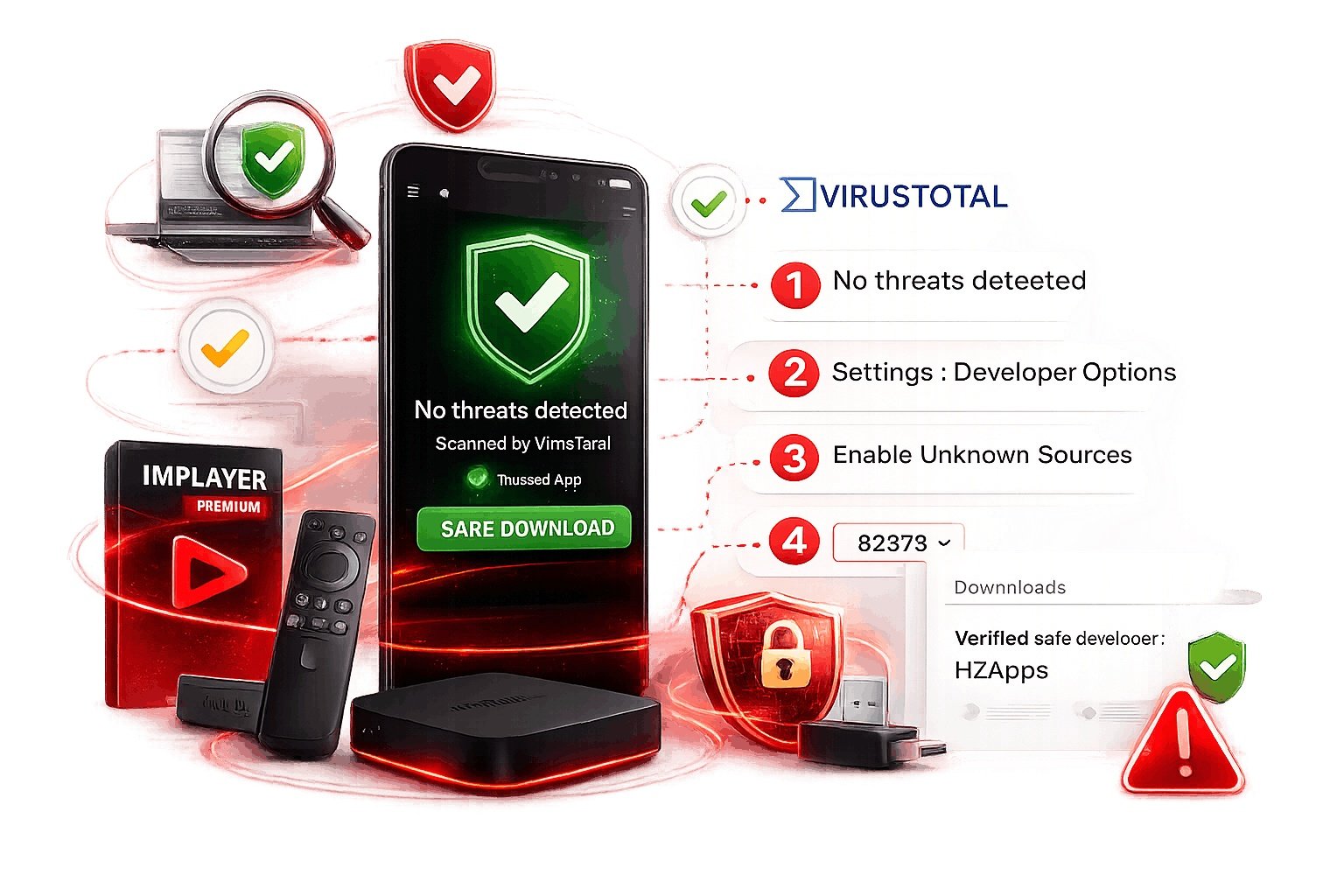
Is IMPlayer Premium APK Safe to Download?
Yes, the official IMPlayer Premium APK is completely safe when downloaded from legitimate sources. The app has been scanned by VirusTotal with zero threats detected and is trusted by thousands of users worldwide.
Safety Tips:
- Only download from implayer.tv or Google Play Store
- Avoid "mod APK" or "premium unlocked" sites — these may contain malware
- Verify the developer is HzApps on Google Play
- Check file size: official APK is approximately 66MB
- Enable Google Play Protect on your device
- Use a VPN for additional privacy while streaming
Warning About Unofficial Mod APKs:
We strongly discourage using unofficial "modded" or "cracked" versions of IMPlayer Premium APK. These versions:
- May contain viruses, spyware, or ransomware
- Will not receive official updates or bug fixes
- Can compromise your personal data and playlists
- Violate terms of service and copyright law
- Offer no customer support if something goes wrong
For a safe, secure, and fully supported experience, always use the official IMPlayer Premium APK from authorized sources.
Frequently Asked Questions About IMPlayer Premium APK
Get quick answers to the most common questions about downloading, installing, and using IMPlayer Premium.
No, IMPlayer Premium APK requires a subscription. However, there is a free version with basic features, and a 24-hour free trial of premium is available after registration. Yearly plans start at $11.99, or you can get lifetime access for $17.99.
The official IMPlayer downloader code for Firestick and Android TV is 82375. Enter this code in the Downloader app to download the latest official APK directly from IMPlayer's servers. This is the safest method for sideloading on Fire TV devices.
Yes! Premium plans support 2 to 5 devices depending on your subscription. You can also add extra devices for $7 per device with no limit. All devices sync through the cloud dashboard so your playlists and settings stay consistent.
No. IMPlayer is strictly a media player. It does not provide any content, channels, movies, or IPTV subscriptions. You must supply your own legal M3U playlists or Xtream Codes from a legitimate provider. The premium APK simply enhances how you play that content.
If installed from Google Play Store, updates are automatic. For sideloaded APKs, visit the official website or use the Downloader app with code 82375 to get the latest version. Always uninstall the old version before installing a new one to avoid conflicts.
While unofficial "mod APKs" exist online, we strongly recommend avoiding them. These modified versions may contain malware, will not receive updates, can compromise your data, and violate IMPlayer's terms of service. Support the developers by purchasing the official premium subscription.
IMPlayer Premium APK requires Android 5.0 (Lollipop) or higher. For the best experience, we recommend Android 8.0+ with at least 2GB of RAM and a stable 10Mbps internet connection for HD streaming.
IMPlayer offers a 24-hour free trial before purchase so you can test all features. Please use this trial to ensure satisfaction. For refund inquiries, review our refund policy or contact support@implayer.tv.
Need Help With IMPlayer Premium APK?
Our support team is ready to assist with downloads, installation, and any technical questions.
Email Support
support@implayer.tv
Response within 24 hours